Hiển thị Password Wifi đã lưu trong máy:
- Vào Applications folder trên máy
- Chọn Utilities folder
- Chọn “Keychain Access” App
- Nhìn bên tay trái, Chọn “System” keychain
- Chọn “Passwords” bên dưới
- Nháy đúp vào Airport network password mà bạn muốn xem
- Tích vào ô “Show password”
- Nhập Username và Password của máy (có thể phải nhập 2 lần)
- Và thật kì diệu, password bạn đã lưu nằm trong ô “show password”
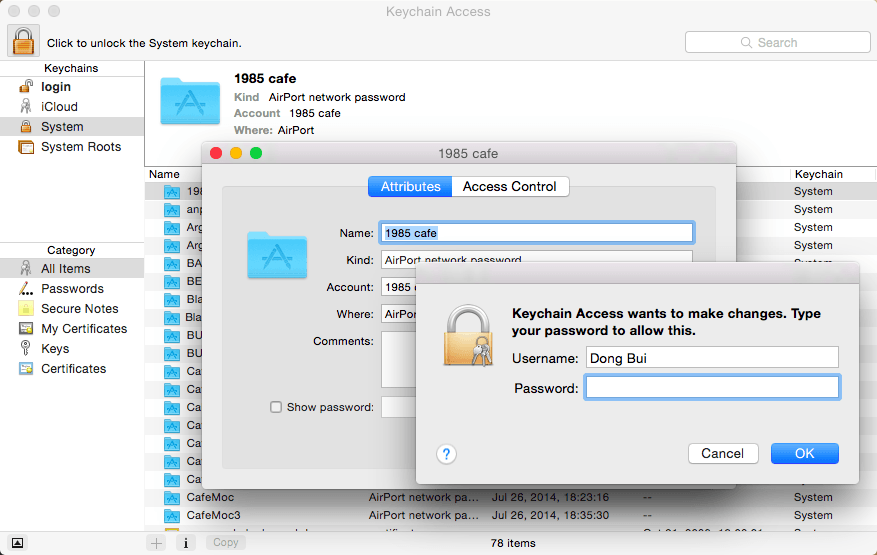
Với vài bước cơ bản các bạn có thể xem lại Password wifi đã lưu trong máy để có thể sử dụng lại sau.


